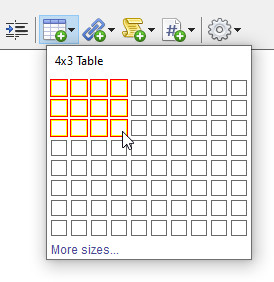
The Family Historian User Group (www.fhug.org.uk) has a long-standing Wish List, and the most-requested features on this list, by some considerable margin, are word processing features. All notes and Text from Source fields now support the following word processing features:
The new word processing features are supported in reports and books, and generated web pages, websites, and family tree CD/DVDs.

The Note Window is a new floating window (more on these below) designed for viewing and editing notes, and supporting all the new word processing features, plus…
 A research note log
Research notes are separate from ordinary notes. Different styles of research notes are available, designed for logs, plans, or task lists; but you can design your own types to suit your preferred way of working. You can link records to research notes. Research notes support full word-processing features, so you can also insert links to any records into research notes. These link are not just to records for people, but to records of any type. You can even insert links to other research notes if you want to.
Research notes are in addition to the much shorter note-within-a-note, hash tags, mentioned in the word processing section above, which can also be used as a way of recording much shorter research notes.

Source templates allow easier and more accurate recording of source information, and make possible more professional-looking citing of sources in reports. Two collections of source templates are provided with Family Historian: an Advanced collection modelled on Elizabeth Shown Mills book Evidence Explained, and an Essentials collection, designed by Calico Pie with help and advice from the Genealogy Programme of the University of Strathclyde. All templates can be customized, or you can create your own. You can even create your own collections to share with others.
See the image for the new Citation Window below for an example of a source based on a template.

Version 7 supports a whole new workflow, based around working directly from sources. We call this Source-driven Data Entry, and it is designed to match the way genealogists typically work. When you receive a source of some kind (such as a document), you can now start by entering the details of that source directly into Family Historian. New tools are available to facilitate this process, including in many cases new data entry assistants. These are plugins (program extensions) which are designed for specific types of sources, and may be region-specific. They aim to make data entry both quicker and easier, while providing more consistent, comprehensive and professional results. A library of free data entry assistants can be accessed from within the program. This library is maintained in the Family Historian Plugin Store, and all Family Historian users can create data entry assistants, and share them via the library; so over time, we expect that more and more source types will be supported.

Support for recording Text from Source information (essentially transcriptions of the original source details) has been improved and uses autotext which allows standard layouts of standard documents from all over the world to be used, so that transcriptions can match the actual layout and format of the original documents. Users can easily create their own standard document layouts as needed, and even share these with others. Text from Source fields use all of the new word processing features (see above), some of which are particularly useful in this context – such as tables and record links. Some data entry assistants (see Source-driven Data Entry above) can also automatically generate high quality Text from Source transcriptions.
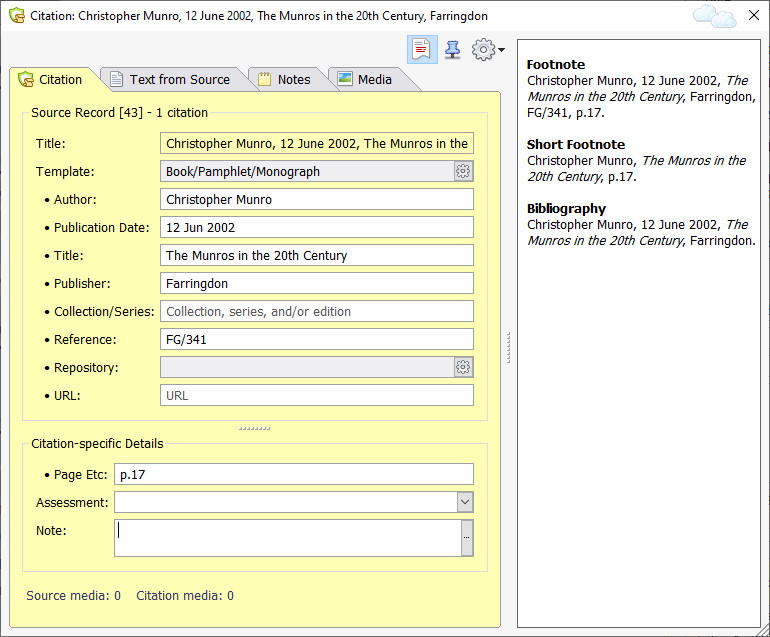
The new floating Citation Window displays full details of source citations in one convenient place. It has a hideable side panel (see image right) which shows what source citations will look like in report or book footnotes, short footnotes or in bibliography entries in the new optional Bibliography section of books and reports.
Record titles (as in the example shown right) can be automatically generated from supplied values.
The Citation Window is immediately accessible from, and used in conjunction with, the Property Box (the main data entry window), the Note Window, and the Automatic Source Citation pane (described elsewhere). As detailed in the section on the Note Window above, notes can now have embedded source citations. You will see a little superscript citation number where there is source citation (for example: “The Munro family comes from Scotland1“). Click on the citation number (1 in this example) in the Note Window to view and edit the full source citation details in the Citation Window.
The Citation Window fields have prompts with help on the expected field values.

The language of Family Historian itself continues to be English (U.S. English or U.K. English) ; so to use the program, some command of the English language is needed. However, the program can be used to record information in languages from all over the world, and reports, books and diagrams can all be rendered in multiple languages, using language packs (free downloads from the Family Historian Plugin Store). The current library includes French, German, Swedish, Dutch/Flemish, Norwegian, Portuguese and English; but new language packs can be added at any time, so keep checking back if your language is not already supported. Language packs can be used not just to render output correctly in the original data language (this is called same language rendering), they can also be used to translate reports, books and diagrams into different languages (the image for Improved Report Window below, shows an example of an English language report translated into French)
All the tools required for creating language packs, and all the necessary instructions, are included in each copy of Family Historian, so technically-sophisticated users can create them themselves, and help and guidance are available.
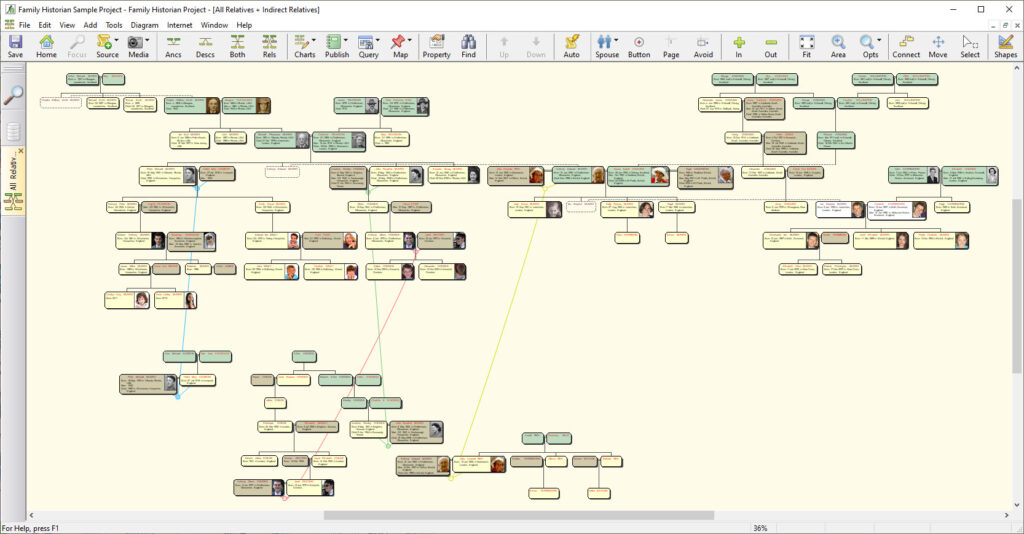
The new diagrams include:
Also, there have been numerous changes and enhancements to the extended set of diagram types, to make them more useful, easier to use, and more consistent. The appearance of diagrams generally has been improved, with improved layout, more graphics options, easier navigation and improved tools for repositioning boxes and branches.
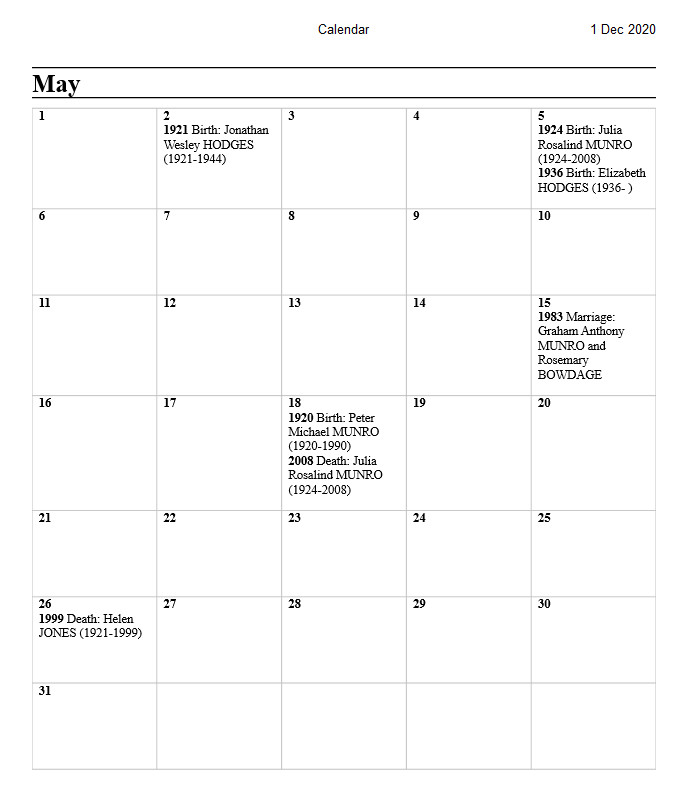
The following new reports have been added:

The Report engine (the part of the program that generates reports) has been completely re-written to support the new word-processing features, and to provide higher quality output. The Report Window now supports scrolling across all pages, with a simplified and cleaner user interface. Reports and books now support a new optional Bibliography section (see the option in the Sources tab of Report options).
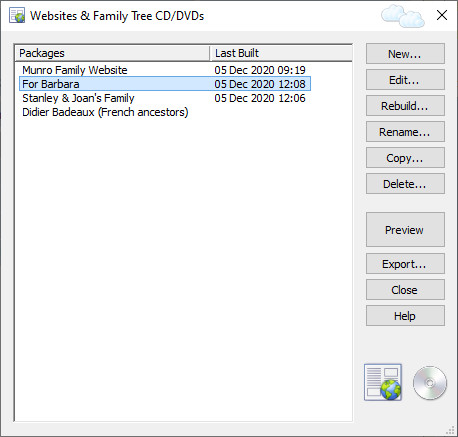
Websites and Family Tree CD/DVD (or the equivalent distributed on a memory stick) are now all generated by a single easy-to-use wizard, from a set of source materials called a ‘package’. There is no limit to the number of packages you can have in a project. You can preview a package without having to rebuild it. You can rebuild it, without having to step through the wizard. The same package can be exported as as website for upload to the Internet, or in a form suitable for output to a CD, DVD or memory stick. Generated websites are now responsive – that is, they automatically reorganize their layout for whatever device they are displayed on, so they can now be viewed conveniently on any device, including phones and tablets. Sharing family tree information with family and friends just got a lot easier!

Again, this is a much-requested feature: facts (that is, events and attributes, recorded in the Facts tab of the Property Box) can now be marked as Private, Preferred, Tentative and/or Rejected . All combinations are allowed. Private facts can be optionally excluded from reports, books, websites, exports, etc. Setting the Preferred flag is useful for contexts where you want to give prominence to key facts about a person – such as their most important and defining occupation among several. Setting a fact as Tentative is self-explanatory. The Rejected flag overrides all other flags. Set this flag if you have concluded that an apparent ‘fact’ is wrong (and hence should not appear in reports or diagrams, or exports). You can always change your mind and unset the flag later of course.

Floating windows are windows that you can leave open while you do other tasks. Some of them will automatically update themselves to reflect changes in other windows. The Citation Window, for example, is a floating window. So too is the new Note Window. Floating windows can dramatically shorten the time it takes to perform repetitive tasks, and avoid the need for constant closing and re-opening of windows. In version 7, many more windows have been made into floating windows. That doesn’t mean that you have to leave them open. It just means that you can if you want to. Previously, users sometimes didn’t realise that windows were floating, and could be left open. For this reason, we have now added a little floating clouds icon in the top right corner of floating windows (see example). Don’t confuse these clouds with ‘the Cloud’ though. Floating windows have nothing do with the Internet.

Users of The Master Genealogist (TMG) have long complained about the problems of moving their data into other genealogy programs. The biggest single hurdle has been the codes (‘sentence variables’ in TMG) that were used by TMG to generate sentences for narrative reports. Other programs could not interpret these numerous and complex codes. This meant that important information could be lost in the transfer. Now at last there is a solution. Family Historian 6’s import from The Master Genealogist (TMG) was already very comprehensive. Family Historian 7, however, goes significantly further still. The import includes the ability to automatically convert TMG codes – as used in sentences in narrative reports and tag type definitions – to Family Historian equivalents. Conversions are logged and can be easily checked after import. The conversions can even be tweaked and overridden if required, prior to import. TMG sort dates are now also imported as Family Historian sort dates. With these and other new import options, Family Historian has given real substance to its claim to be the ideal new home for TMG users.
 01302 288722